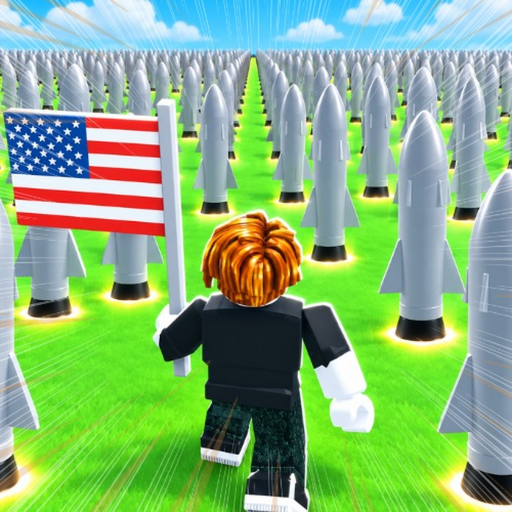
Official facts + expanded gameplay review
Nuke A Country Troubleshooting
Work through code failures, missing cash, unsuccessful launches and base damage without assuming an unverified mechanic.
Choose the symptom
Official facts and reported interface details are identified in the text. Exact current statistics and code payouts remain untested.
Code rejected
- Check first
- If no code window opens, use the top-row voucher icon; the timed gift and STORE open different panels. Finish an obstructing tutorial prompt before trying the voucher again.
- What to do
- Open the voucher, enter one code, submit once and read the receipt.
- Success check
- Use REDEEMED! and the resulting balance or inventory to confirm the result.
Observed interface states and diagnostic advice; current messages take priority.
Read the supporting evidence →Cash did not rise
- Check first
- Confirm the building has left the hotbar and is placed on your island. Wait through the tutorial's five-second payout interval without buying or firing. Check whether the structure was destroyed during that interval.
- What to do
- Place the house, pause spending and observe a complete payout interval.
- Success check
- Compare balance changes while the placed structure survives.
Observed interface states and diagnostic advice; current messages take priority.
Read the supporting evidence →Missile did not do what you expected
- Check first
- Resolve OVERLAPS ANOTHER BUILDING by moving or rotating the footprint. Approach the placed missile and use LAUNCH. Select the location before FIRE; SELECT TARGET signals that this step remains. Use RETRY to revise or CANCEL to leave.
- What to do
- Clear the footprint, launch, select the destination and read the outcome.
- Success check
- The notification separates placement, targeting and interception failures.
Observed interface states and diagnostic advice; current messages take priority.
Read the supporting evidence →Base became vulnerable
- Check first
- Open the generator's FORCEFIELD panel. Compare OFF with an active countdown or SHIELD ON. Read the attacking-during-combat warning and check whether cash buttons show NEED CASH or a timer.
- What to do
- Inspect OFF, SHIELD ON, countdown and cash-button timer before renewal.
- Success check
- An active countdown confirms protection; the purchase state explains unavailable options.
Observed interface states and diagnostic advice; current messages take priority.
Read the supporting evidence →Quick answer
Identify the message you see, check the current interface and make one small test. Avoid repeated purchases until you know whether the issue is a code, target, shield or placement problem.
Continue reading§Code rejected#
If no code window opens, use the top-row voucher icon; the timed gift and STORE open different panels. Finish an obstructing tutorial prompt before trying the voucher again.
If the entry is rejected, retype just the code characters and compare with the official description. Keep an already-claimed response separate from an invalid or expired response. These are diagnostic categories; the exact live wording takes priority.
If REDEEMED! appears but cash seems unchanged, check the hotbar and bag for items and avoid making purchases during the check. If no receipt appears, let the current request finish before trying once more. No level requirement, group requirement or guaranteed rejoin fix has been verified.
§Cash did not rise#
Confirm the building has left the hotbar and is placed on your island. Wait through the tutorial's five-second payout interval without buying or firing. Check whether the structure was destroyed during that interval.
Cards label income per second while the tutorial describes five-second payouts. A balance that does not move every second can coexist with that label. Code and gift claims can also deliver items, so check the hotbar or bag.
§Missile did not do what you expected#
Resolve OVERLAPS ANOTHER BUILDING by moving or rotating the footprint. Approach the placed missile and use LAUNCH. Select the location before FIRE; SELECT TARGET signals that this step remains. Use RETRY to revise or CANCEL to leave.
Read shield, destruction and interception notifications before buying again. A Basic Missile was intercepted in one recording and another session shows misses. Confirm a destroyed building or balance change before treating an upgrade as profitable.
§Base became vulnerable#
Open the generator's FORCEFIELD panel. Compare OFF with an active countdown or SHIELD ON. Read the attacking-during-combat warning and check whether cash buttons show NEED CASH or a timer.
A recorded renewal changes the countdown to nearly fifteen minutes. If protection has ended and buildings were destroyed, restore affordable income before buying another salvo. Read the combat-leaving warning before reconnecting.
Scope and sources
Official facts and reported interface details are identified in the text. Exact current statistics and code payouts remain untested.
- Recorded UI and calculated examples are dated observations. Check your current interface before spending.
- No first-hand account test. Remaining gaps are listed in Sources & Verification.